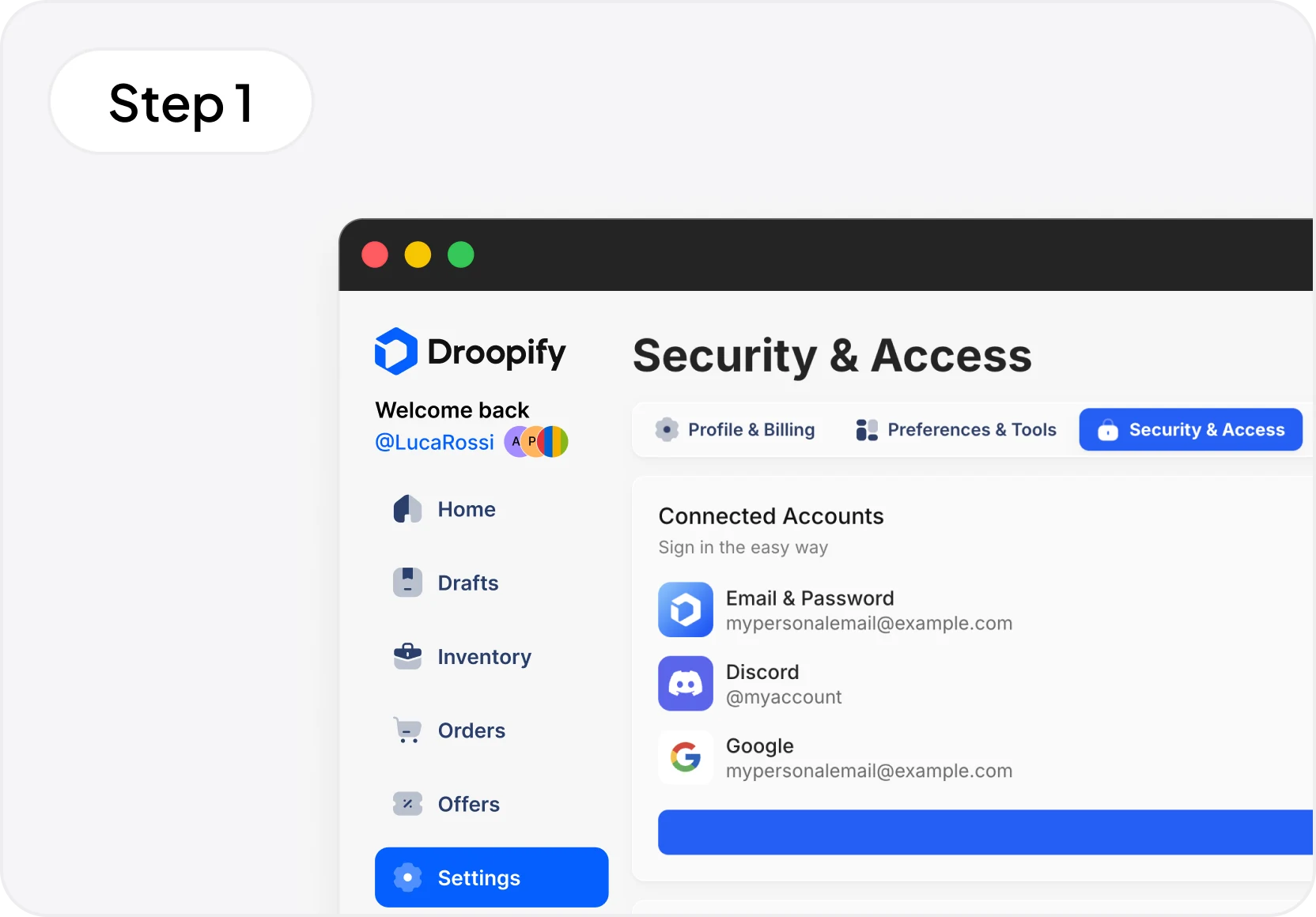
Log in to your Droopify dashboard, go to Settings > Security & Access. Click Grant Authorization and the delegated access panel will open.
Want a coach or collaborator to manage your account? With Droopify's delegated access, grant authorization without sharing passwords. Secure, controllable, and revocable at any time.
Droopify's delegated access lets a mentor, coach, or collaborator access your account without knowing your password. The collaborator cannot modify the plan or access payment details. You maintain full control: you can revoke authorization at any time from your dashboard. No credential sharing, no risk.

Are you an eBay seller working with a coach or mentor? With delegated access, your coach can enter your Droopify account, view your data, optimize listings, and guide you in real time, without you sharing your password. You remain the account owner and can revoke authorization whenever you want.

If you're a dropshipping coach or mentor, delegated access lets you access your students' accounts directly from your dashboard. Monitor sales, review listings, and provide operational support, all from one place. Your students maintain full control and can revoke authorization at any time.
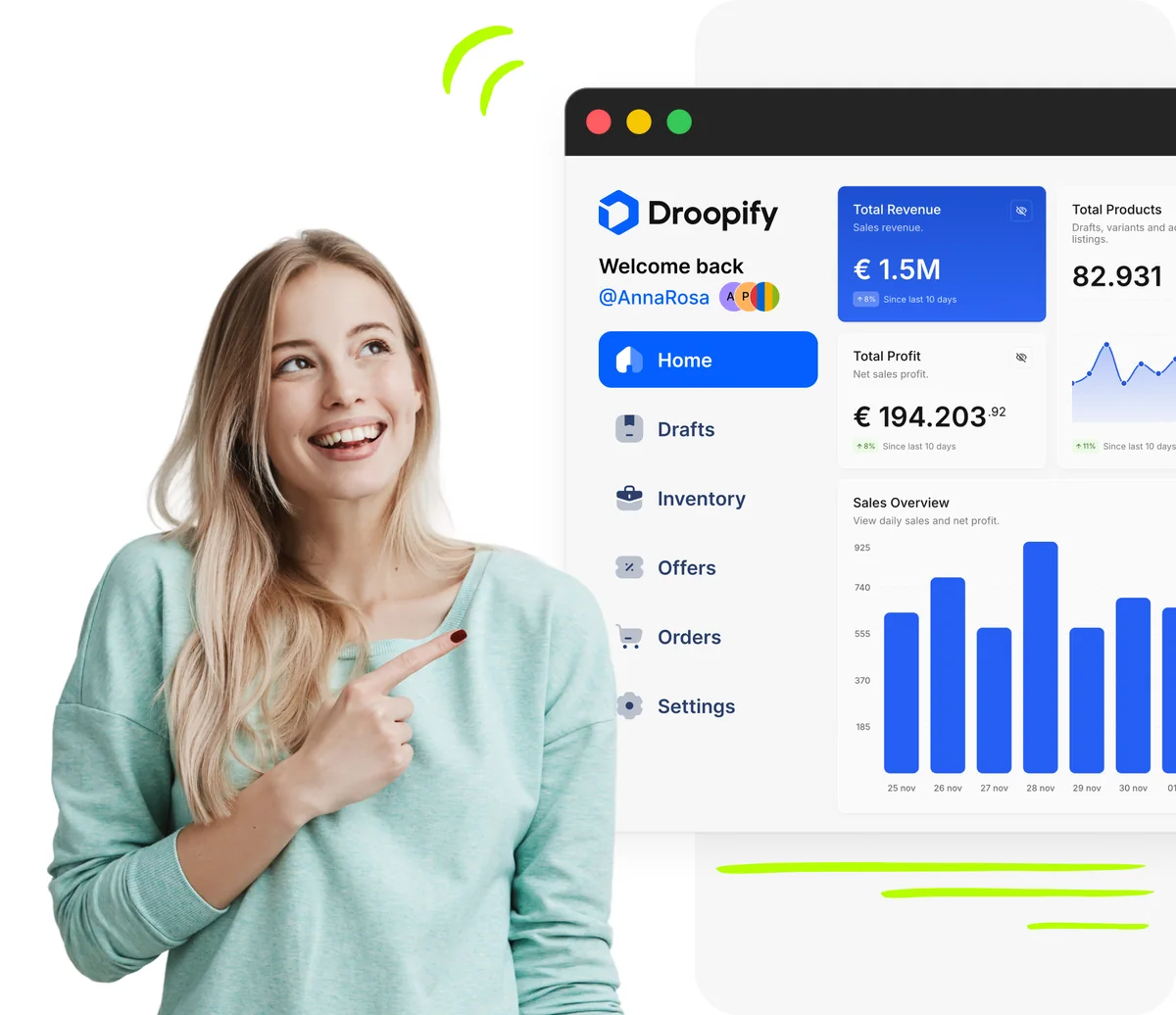
Log in to your Droopify dashboard, go to Settings > Security & Access. Click Grant Authorization and the delegated access panel will open.
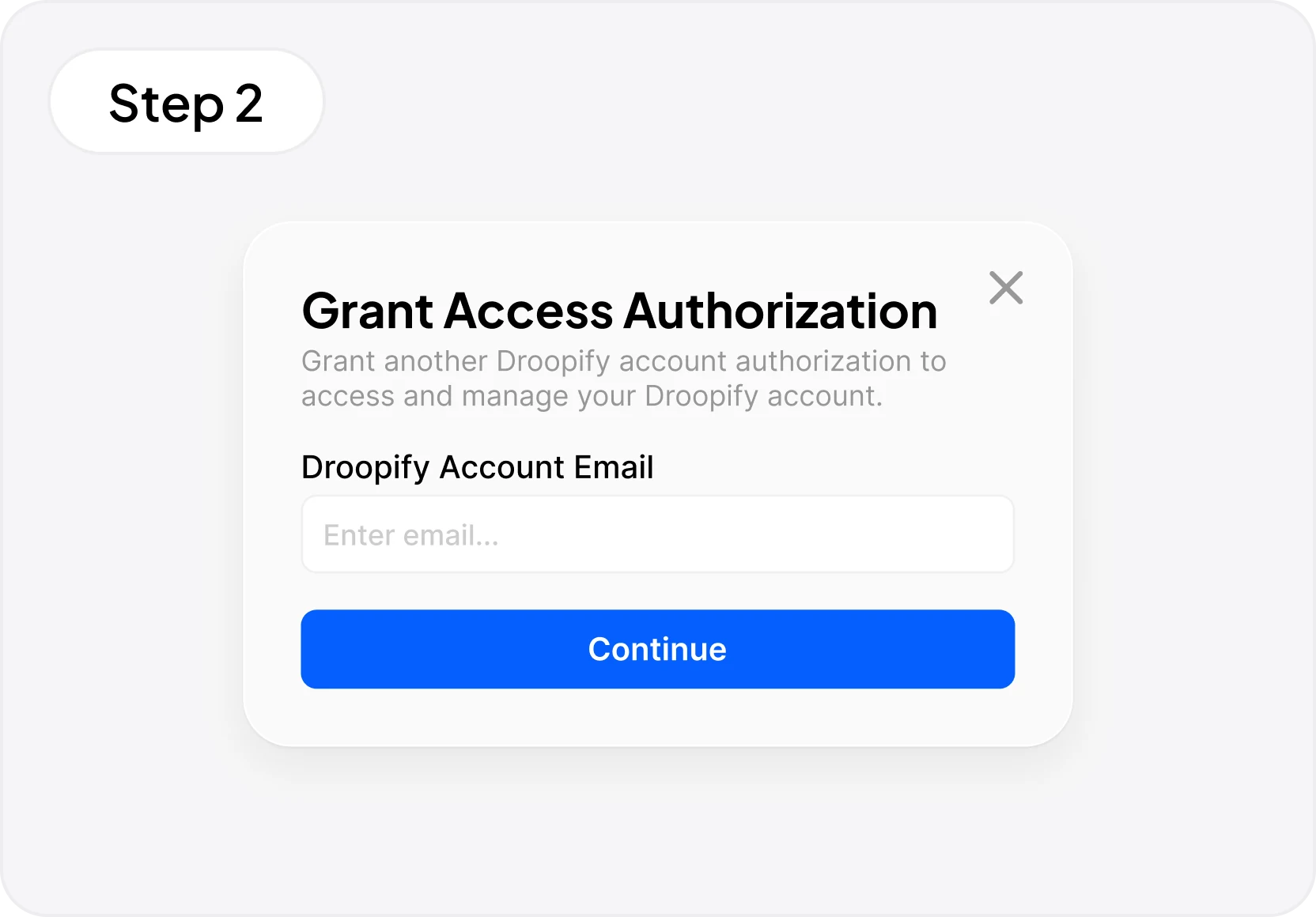
Enter the Droopify account email of the coach or collaborator you want to grant access to. Confirm and the collaborator will receive authorization to access your account securely, without knowing your password.
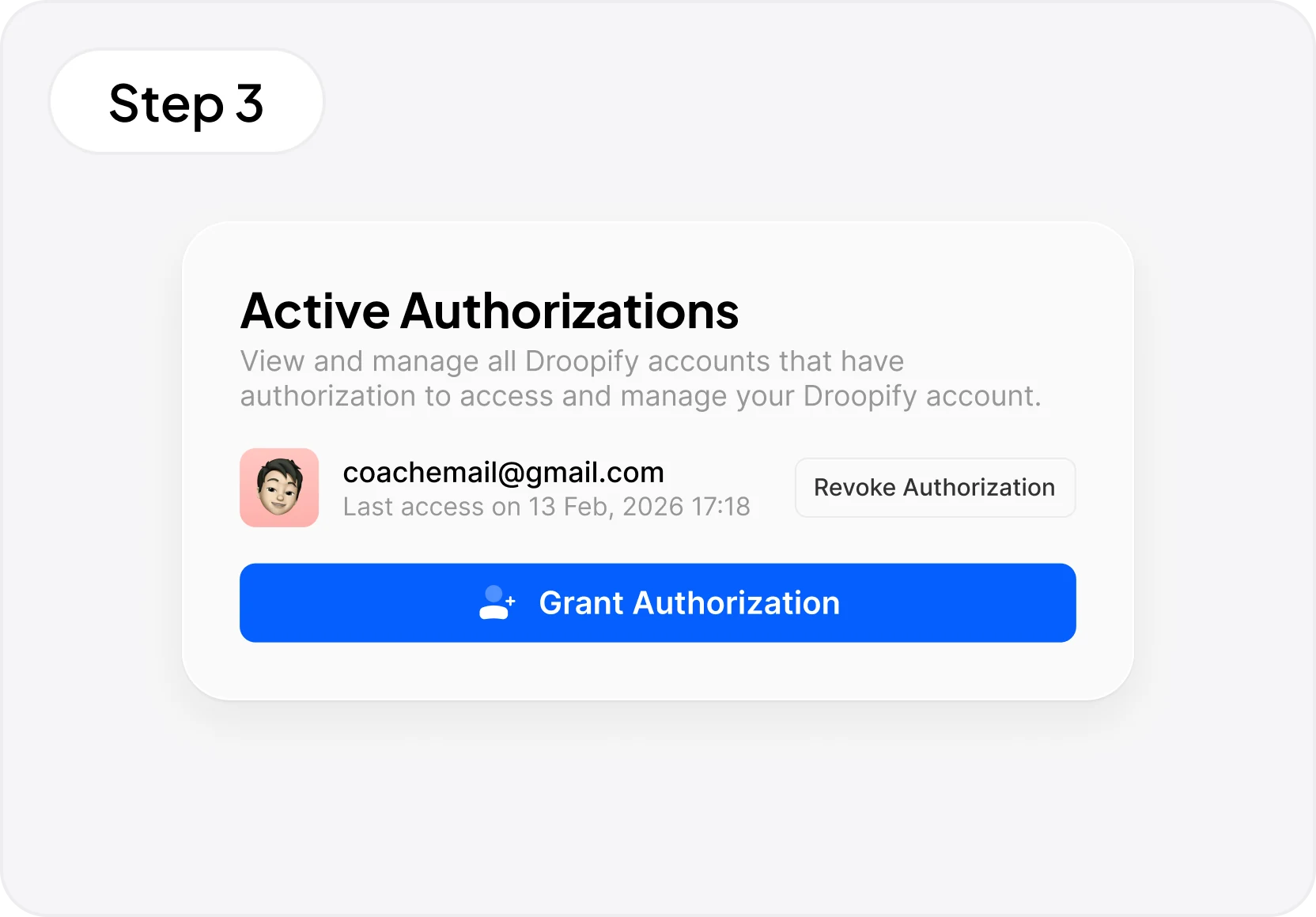
In the Active Authorizations panel, you'll see all accounts with access to your Droopify, with the last access date. You can revoke authorization with one click on Revoke Authorization or add new collaborators with Grant Authorization.

Delegated access allows a coach, mentor, or collaborator to access your Droopify account without knowing your password. Grant authorization by entering their Droopify email and they can enter your account to monitor sales, optimize listings, and provide support. You maintain full control and can revoke access at any time.
Yes. Delegated access is available on all Droopify plans at no extra cost. You can grant and revoke authorizations for free.
No. The coach accesses through authorization granted from the Security & Access panel and never has access to your password or credentials. They also can't see payment details or modify your plan. Authentication is managed completely separately: the collaborator uses their own Droopify account to access yours.
Go to Settings > Security & Access, click Grant Authorization, and enter the collaborator's Droopify account email. Confirm with Continue and authorization is granted immediately. The collaborator can access your account from their Droopify dashboard.
Yes. In the Active Authorizations panel, you'll see all authorized accounts with the last access date. Click Revoke Authorization and access is removed immediately. The collaborator will no longer be able to enter your account.
You can grant authorization to multiple collaborators. Each one is added individually through Grant Authorization and appears in the Active Authorizations list. You can manage and revoke them all from the same page.
Yes. When a student grants you authorization, their account appears on your Droopify dashboard. You can access all your students' accounts, monitor their sales, review listings, and provide operational support without needing multiple logins.
The authorized collaborator can access your Droopify dashboard and view sales, profits, listings, orders, and all operational features of your account. They can optimize listings and guide you operationally. They cannot modify the plan, access payment and billing details, change security settings, or revoke other collaborators' authorizations. Your financial data and subscription remain protected.
Yes. In the Active Authorizations panel, each authorized collaborator shows the date and time of their last access to your account. This way you always have visibility on who is accessing and when.
Yes. Droopify internally records all operations performed by anyone accessing via delegated access. The history isn't visible from the dashboard but is stored internally by Droopify to ensure security and transparency. In case of issues or disputes, every action is tracked and associated with the collaborator's account.
Yes. With Droopify's delegated access, the collaborator doesn't know your password, can't modify the plan, can't access payment details, and can't revoke other collaborators' authorizations. All operations are tracked internally by Droopify. You can revoke access in one click from the Active Authorizations panel. It's the safest way to collaborate in eBay dropshipping without sharing credentials.
No. Delegated access is a Droopify exclusive feature. No other eBay dropshipping software offers this level of secure collaboration between sellers and coaches, with granted authorization, management panel, and instant revocation.