Droopify sends an automatic message to the customer at every order status change: pending, ordered, shipped, delivered, and cancelled. You can customize the text of each message using dynamic variables like customer name, tracking code, and product details. The shipping message automatically includes the tracking link, while the delivery message can include the delivered package photo.
Customer Communication
Writing manual messages for every order, chasing feedback, losing control of returns and disputes. Droopify sends personalized automatic messages, requests feedback, and shows you everything in one view.
14-day free trial
Cancel anytime

AUTOMATIC MESSAGES
A message for every status. Automatic.
Droopify sends customizable automatic messages at every order status change: pending, ordered, shipped, delivered, cancelled. Use dynamic variables for customer name, tracking, and product details. The delivery photo and location are forwarded when available.

CHAT & MESSAGES
All chats, one place. With pins and internal notes.
The chat is integrated directly into every order page. Reply on the fly while managing. The message center brings together all conversations with pins on important chats and internal notes visible only to you to annotate details about customers and orders.

Automate customer communication. Try it free.
14-day free trial
Cancel anytime
AUTOMATIC FEEDBACK
Feedback requested and monitored. Automatically.
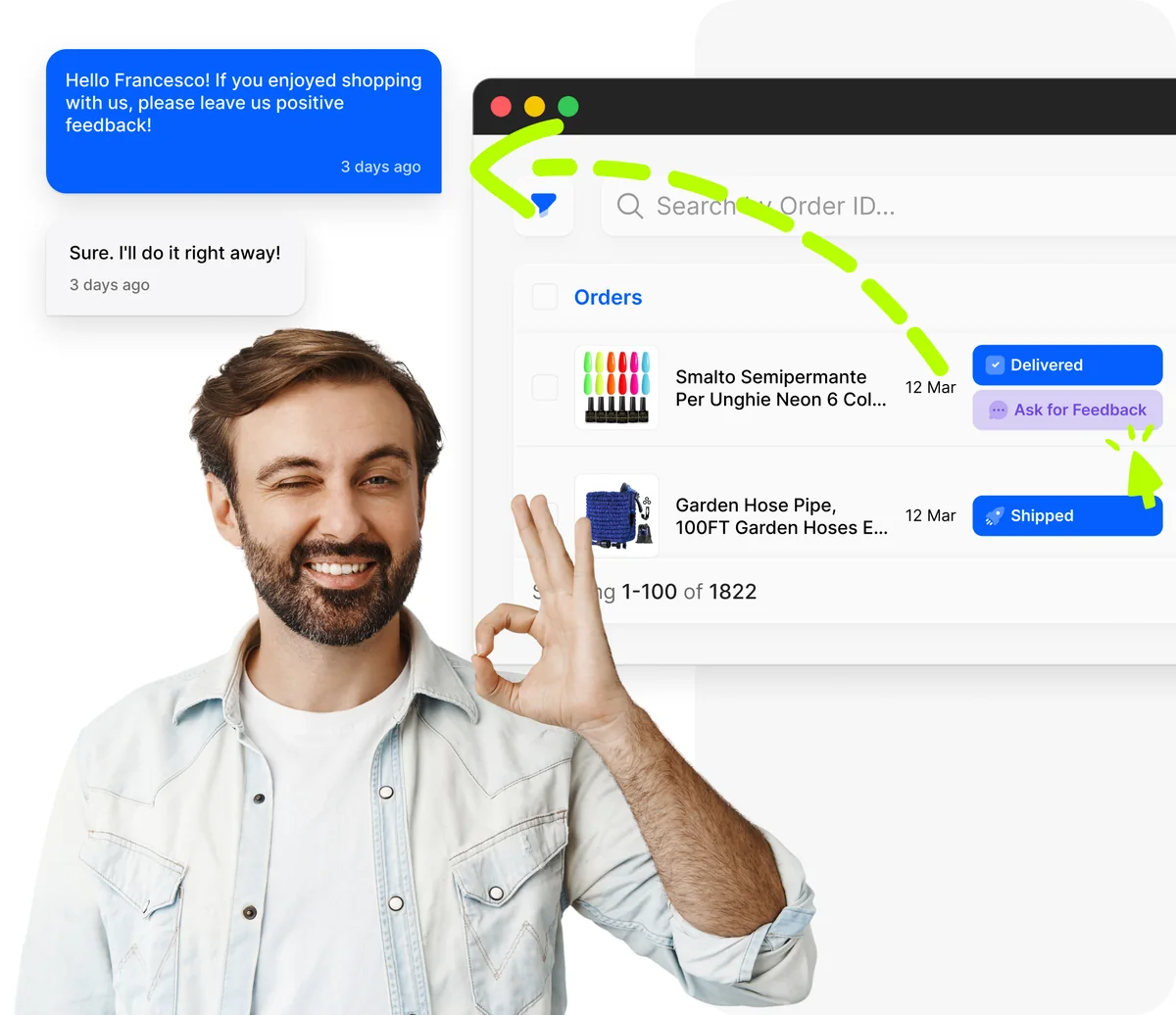
After delivery, Droopify automatically sends a feedback request to the buyer with a personalized message. From the order dashboard, you see the Ask for Feedback button for every delivered order. The customer responds directly in chat.
RETURNS & DISPUTES
Cancellations, returns, and disputes. All in one view. Only Droopify.
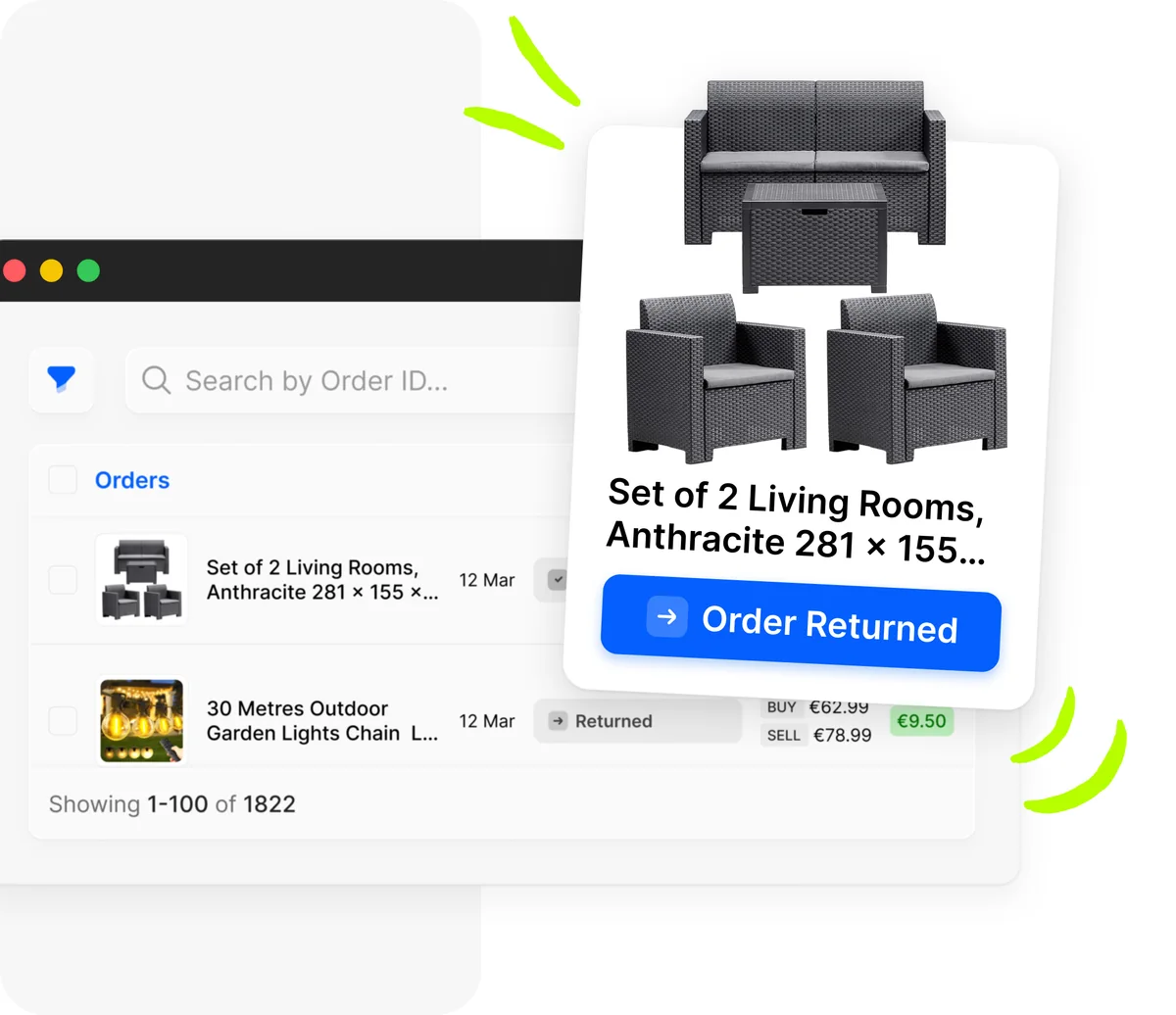
Droopify is the only software that shows you in a single view all cancellations, returns, and disputes from eBay customers. React immediately without manually checking every order. Only Droopify offers this.
Built for eBay sellers, at every level.
Whether you're just starting or already managing hundreds of listings, Droopify simplifies the entire process.
 15 minAverage daily management time
 4.8/5Average seller rating
 100%Automatic orders and tracking
Scale Your Business
- 24/7 price and stock monitoring
- Real-time sales and profit analytics
- VeRO protection and GPSR compliance
- Chat support and dedicated community

Frequently asked questions
Yes. You can create a different message for each of the five order statuses and customize them freely. You can enable or disable each individual status: for example, you can send the shipping and delivery messages but not the order received one. Dynamic variables automatically insert the name, tracking, and order-specific details.
Droopify's message center brings together all eBay customer conversations in a single interface. You see the list of all chats sorted by date, with a preview of the last message. Use pins to stick important conversations to the top and internal notes to annotate details visible only to you and your team, like delivery issues or special situations.
Internal notes are annotations visible only to you and your team, not to the eBay customer. You can note important order details such as 'first delivery failed, new order shipped on March 6.' They're useful for tracking special situations, customer agreements, or information to remember for complex orders.
After confirmed delivery, Droopify automatically sends a feedback request to the buyer with a personalized message. In the order dashboard, you see the Ask for Feedback badge for every delivered order. The message invites the customer to leave a positive rating and the customer can respond directly in the eBay chat. Automating the feedback request significantly increases the response rate.
Yes, and it's a Droopify exclusive feature. The dashboard shows in a single view all orders with a Cancellation, Return, or Dispute status. You can immediately identify problematic orders, calculate the economic impact, and react quickly without manually checking each individual order on eBay.
Yes. The chat is integrated directly in every order's detail page. You don't need to leave the order view to communicate with the customer: reply on the fly while managing fulfillment. You can also access all conversations from the unified message center, where you'll find search filters, pins, and internal notes.
There's no limit to the number of automatic messages Droopify can send. Each order receives messages for the statuses you've enabled, regardless of volume. With thousands of orders managed simultaneously, the system scales automatically with no slowdowns or additional per-message costs.
Yes. When the carrier registers the delivery photo, Droopify can automatically send it to the customer in the eBay chat with a note about where the package was left (at the door, with a neighbor, at the front desk). This photographic proof drastically reduces not-received disputes and improves buyer trust. Learn more about tracking and shipping.
Droopify helps you reduce disputes on multiple fronts: automatic messages keep the customer informed at every order step, the delivery photo provides proof of receipt, the automatic feedback request catches satisfied customers before they forget to leave a rating. The unified view of cancellations, returns, and disputes lets you act quickly on problems before they become negative feedback.
Try Droopify's messaging. 14 days free.
14-day free trial
Cancel anytime